
The Spring 2026 release is here, with updates across both Seeker XP and Seeker Events Network. From smarter UGC management and live photo capture to source whitelisting and an AI feedback loop, this release is all about giving admins more control and saving you time. Let’s dive in.
Click on the demo below to see a walkthrough of all the new features.
Seeker Events Network Product Updates
PRODUCT: EVENTS NETWORK | PLANS: ALL
New Events Management Features
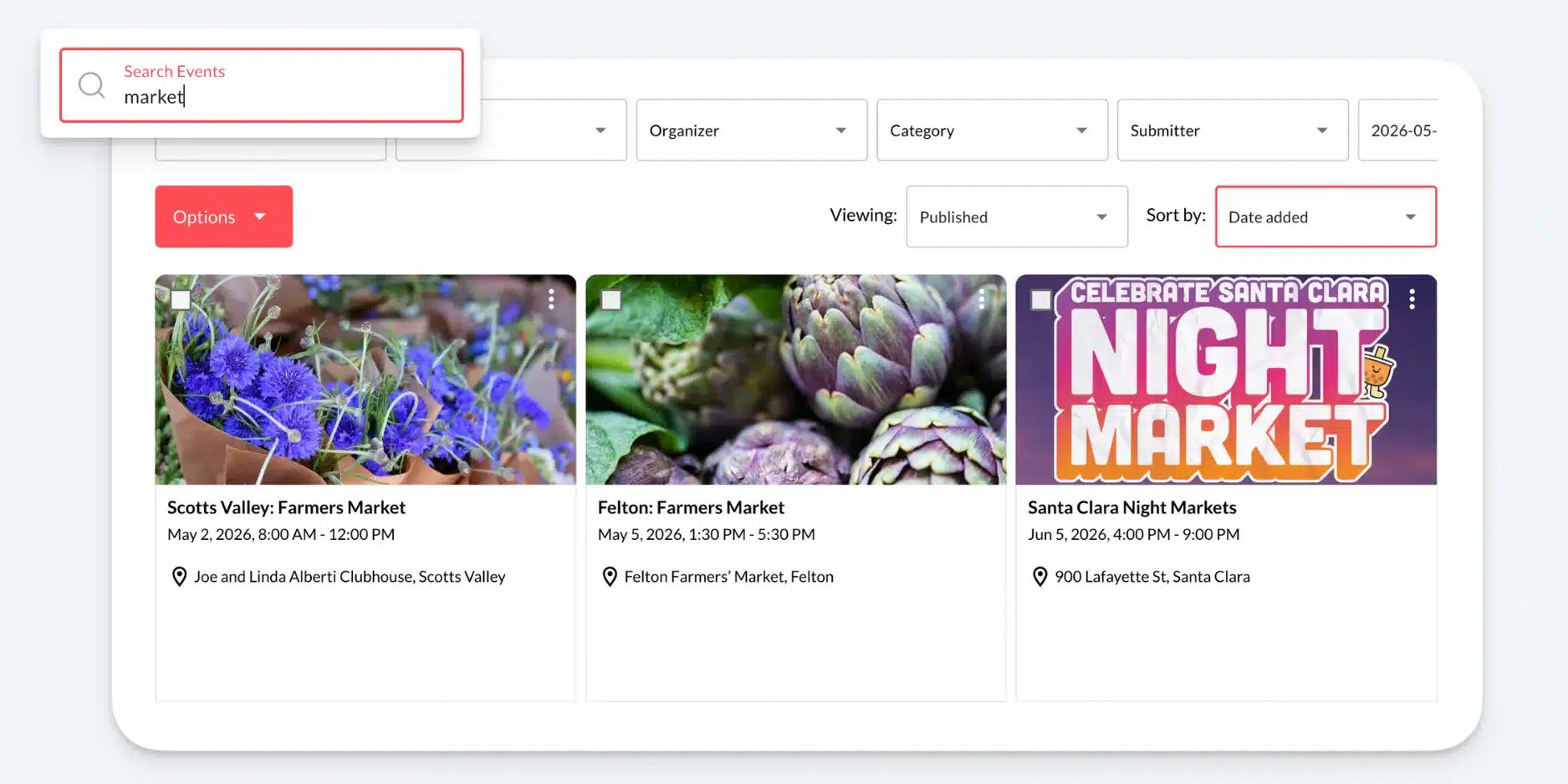
A search box is now available in both the Manage and Discover views, letting admins quickly find specific events by name or keyword. In addition, admins can now sort event listings in Manage and Discover by different criteria. This is especially helpful right after an import, when you need to surface the latest additions to add keywords or make custom edits.
PRODUCT: EVENTS NETWORK | PLANS: ALL
AI Feedback Loop / Report an Issue
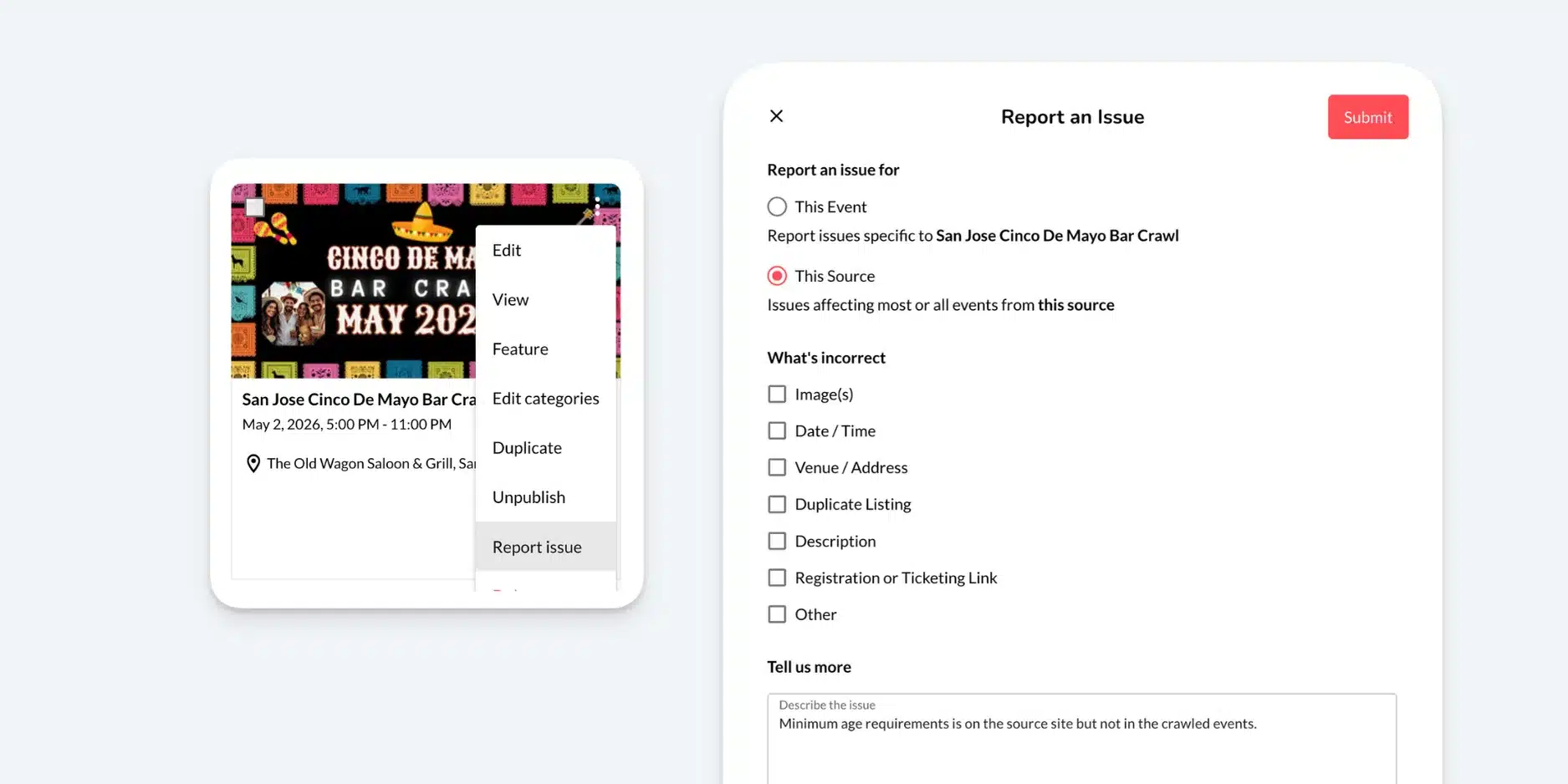
Spot a data quality issue from the AI crawlers? You can now report it directly from your Discover Feed or Manage Events in a few clicks — feedback that flows straight back into the AI to improve future results.
PRODUCT: EVENTS NETWORK | PLANS: ALL
Pagination Settings on Calendar Widget
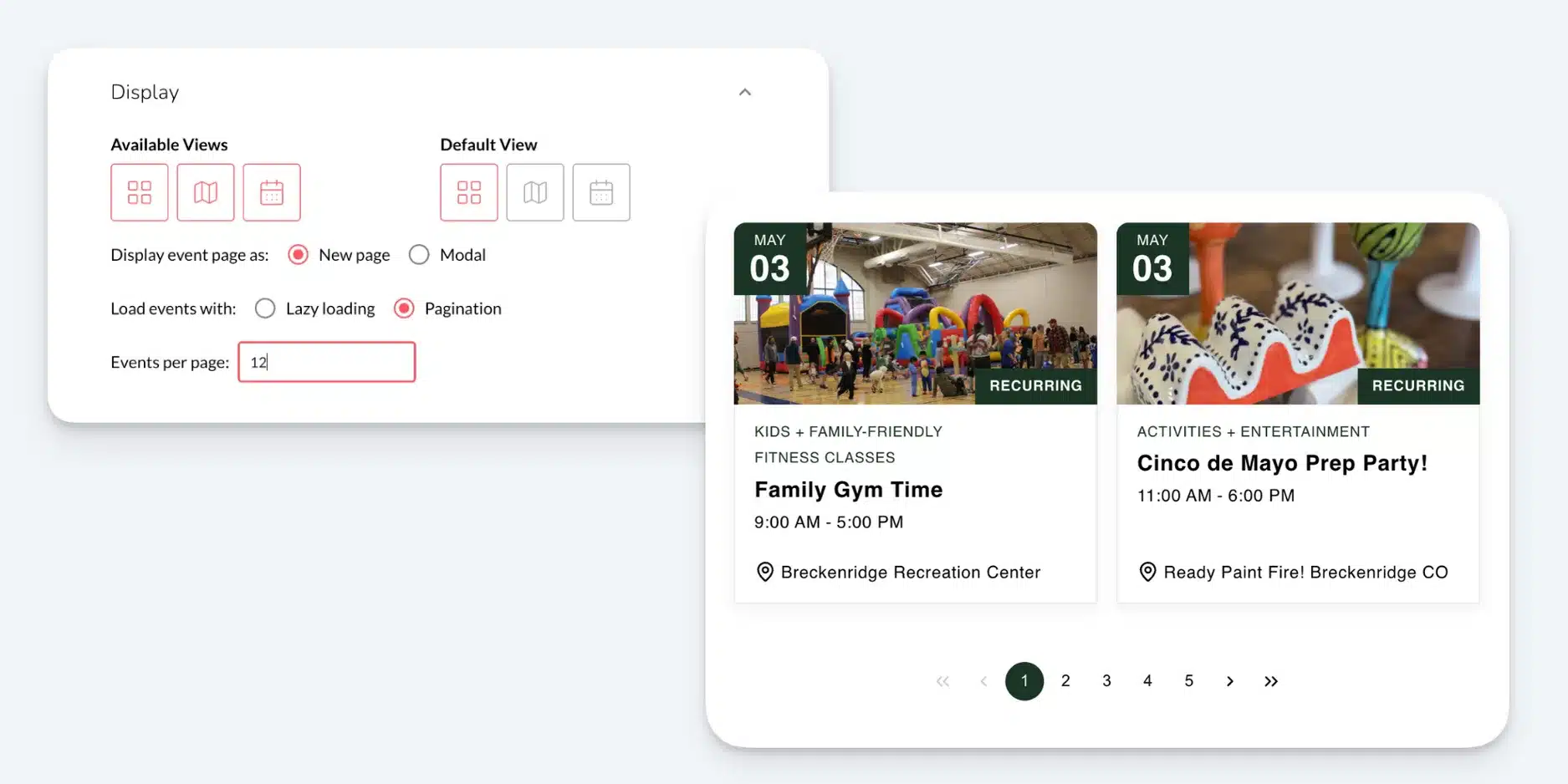
If you’re using pagination instead of lazy loading on your calendar widget, you now have new controls — including the ability to set the number of events shown per page.
PRODUCT: EVENTS NETWORK | PLANS: ALL
Duplicate Event
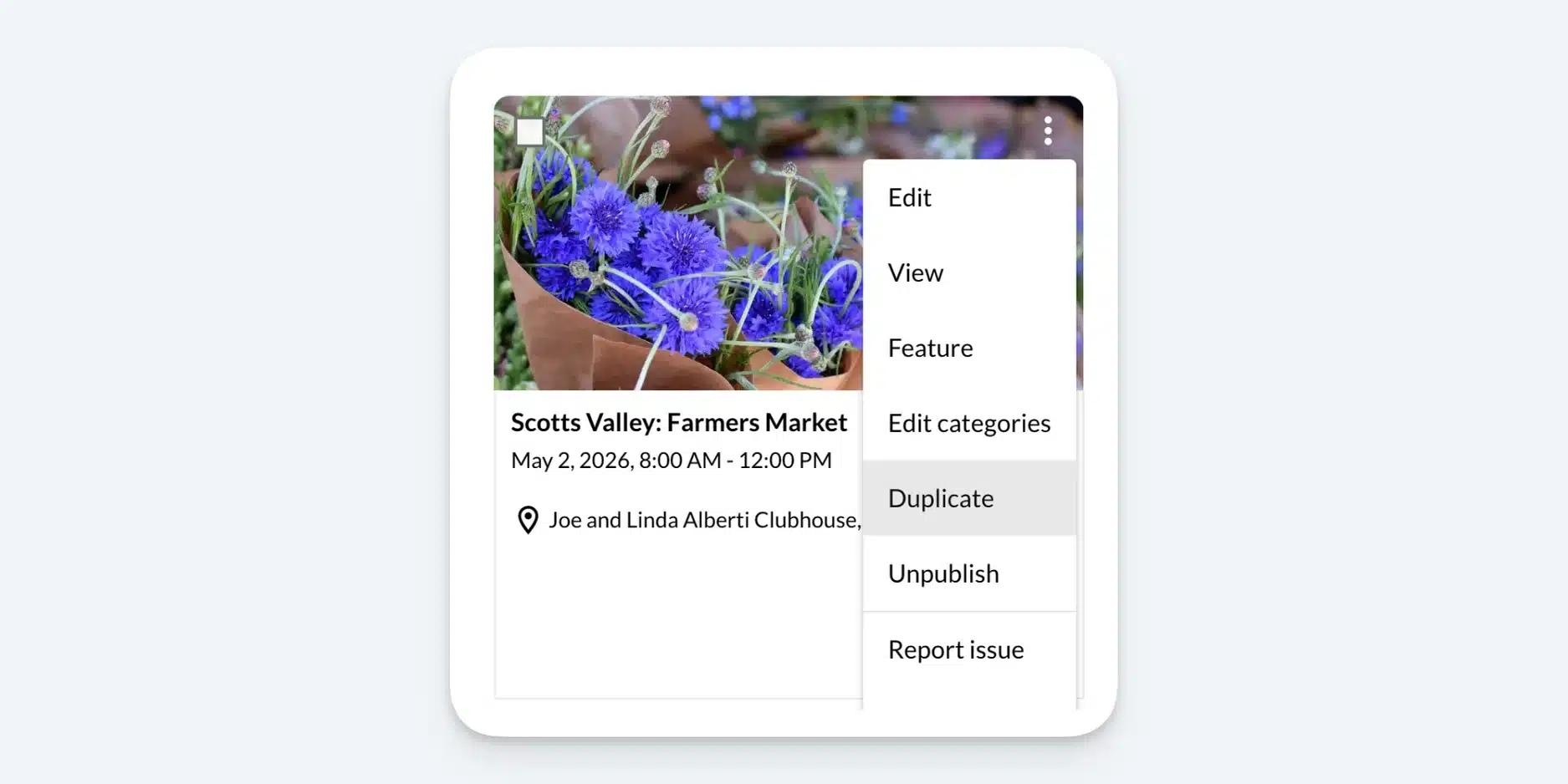
Admins can now duplicate an existing event with a single click — a time-saver when creating similar events or keeping configurations consistent across programs.
Note: For truly recurring events, we still recommend using Seeker’s built-in recurring and occurrence settings.
PRODUCT: EVENTS NETWORK | PLANS: ALL
Whitelist Sources
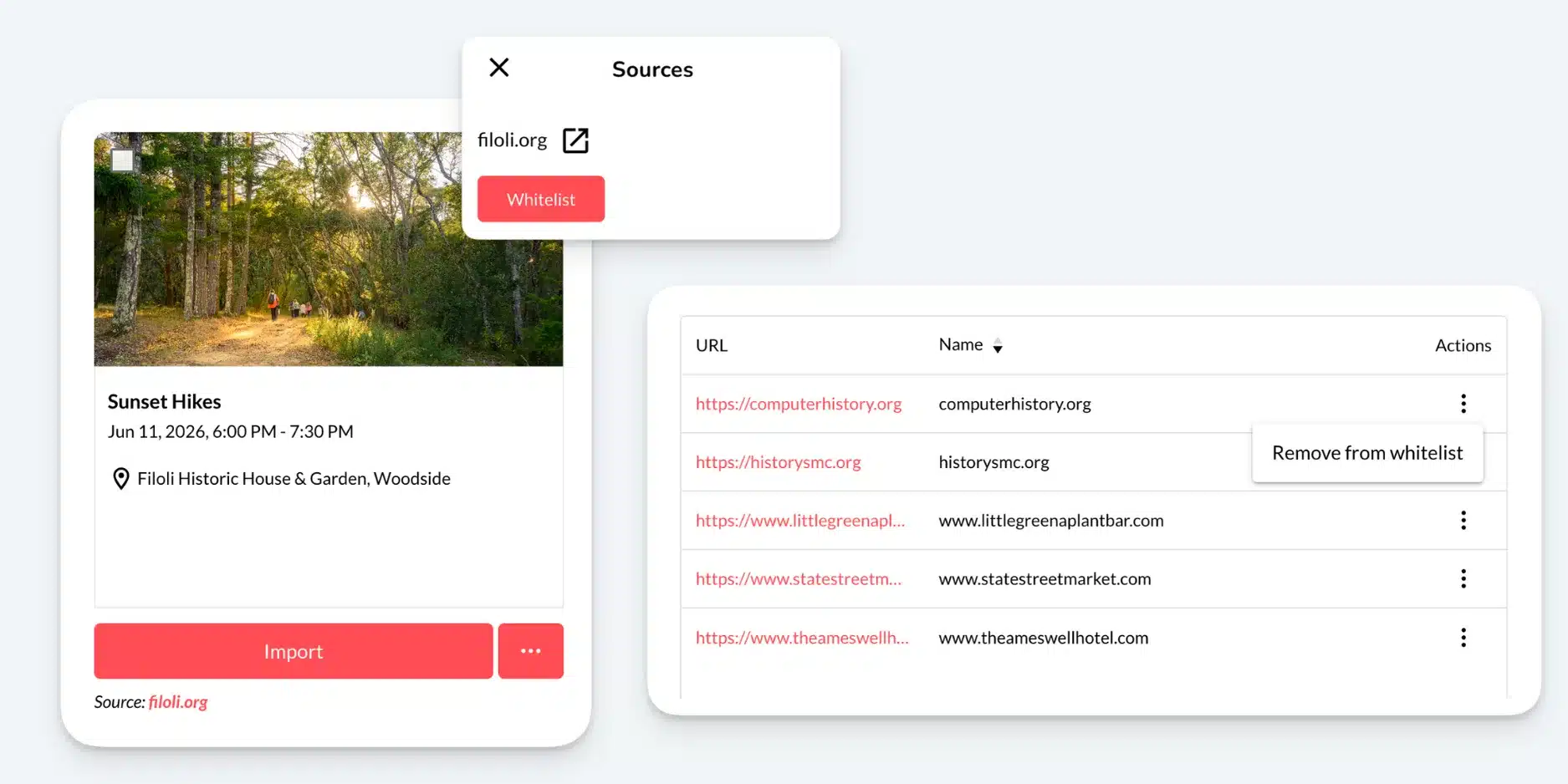
The Discover Feed gives you full control over what enters your calendar — but sometimes a venue or partner is trusted enough that review feels redundant. The new whitelist feature lets admins designate trusted sources whose events flow straight from the partner site into your calendar, no intervention required.
PRODUCT: EVENTS NETWORK | PLANS: ALL
Event Submission Emails and Rejection Reason
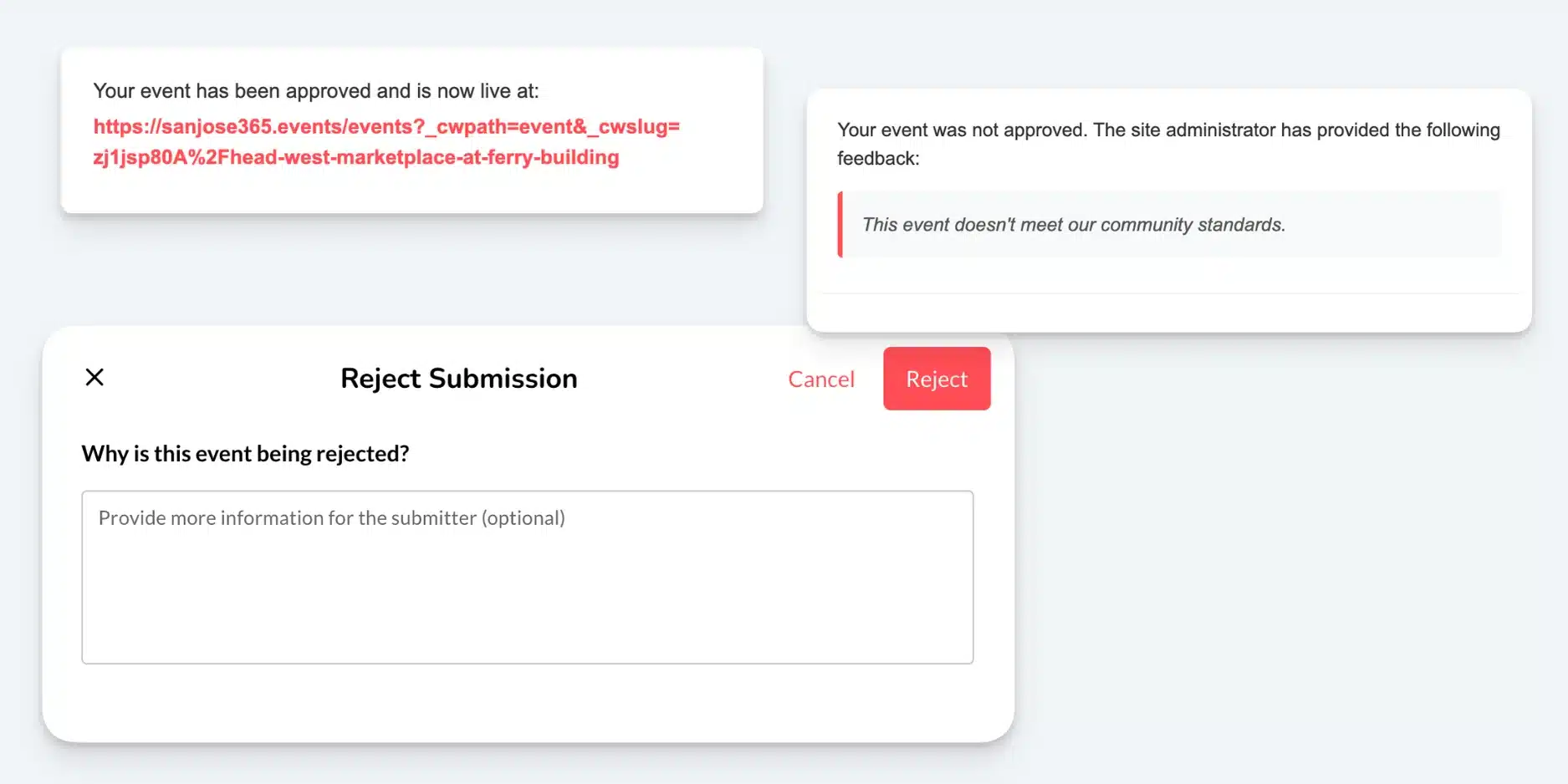
Submitters and admins now receive email notifications at every stage of a submission, keeping everyone in the loop without manual follow-up. Admins can also include a reason when rejecting an event submission, giving submitters helpful context on what to adjust.
Seeker XP Product Updates
PRODUCT: XP | PLANS: ALL
User Photo Visibility Toggle
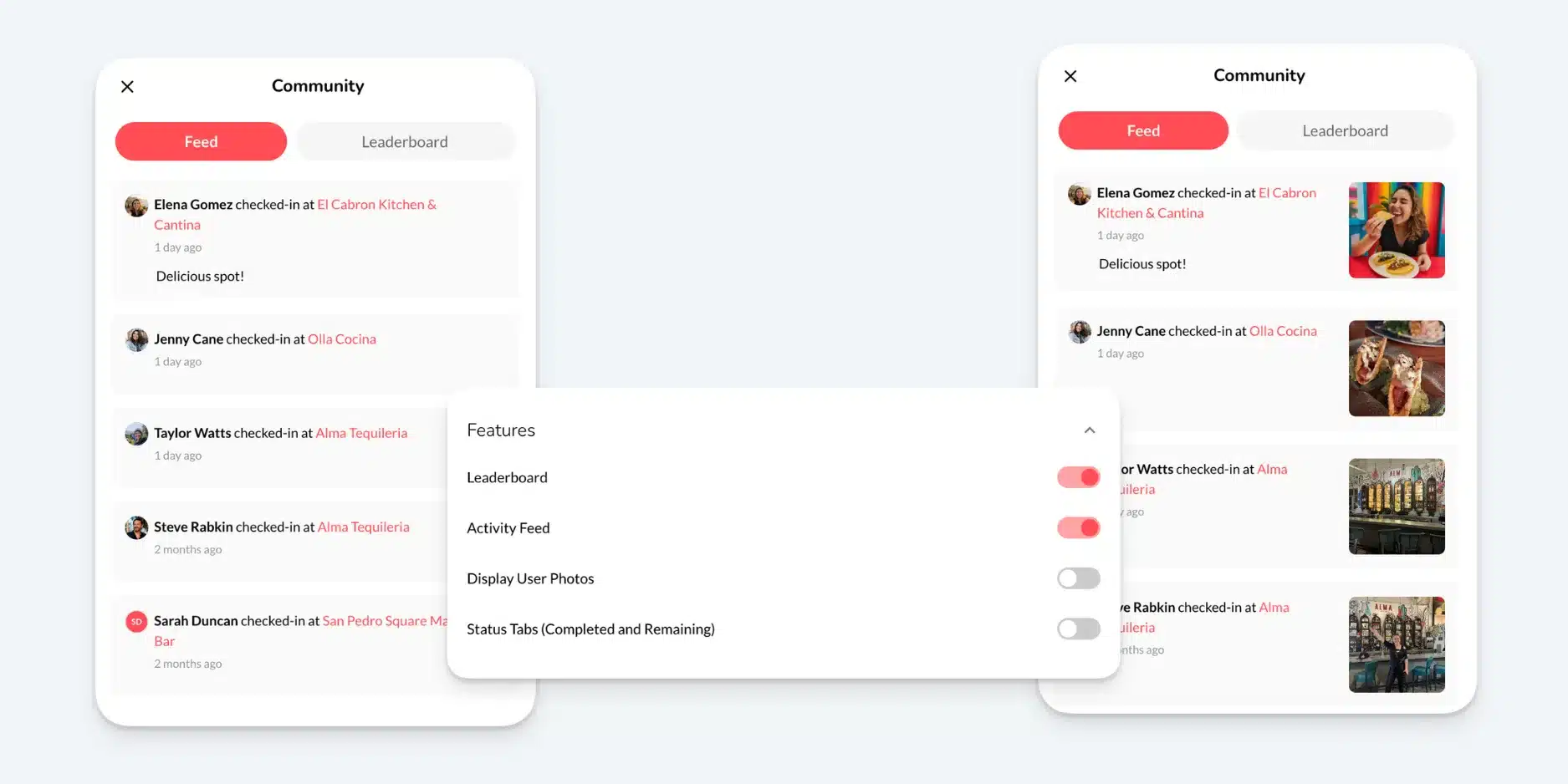
You can now toggle user photos on or off for each experience. Collect UGC behind the scenes while keeping it hidden from participants — useful for privacy, moderation, or any case where you want submissions without public display.
PRODUCT: XP | PLANS: ALL
UGC (User-Generated Content) Management
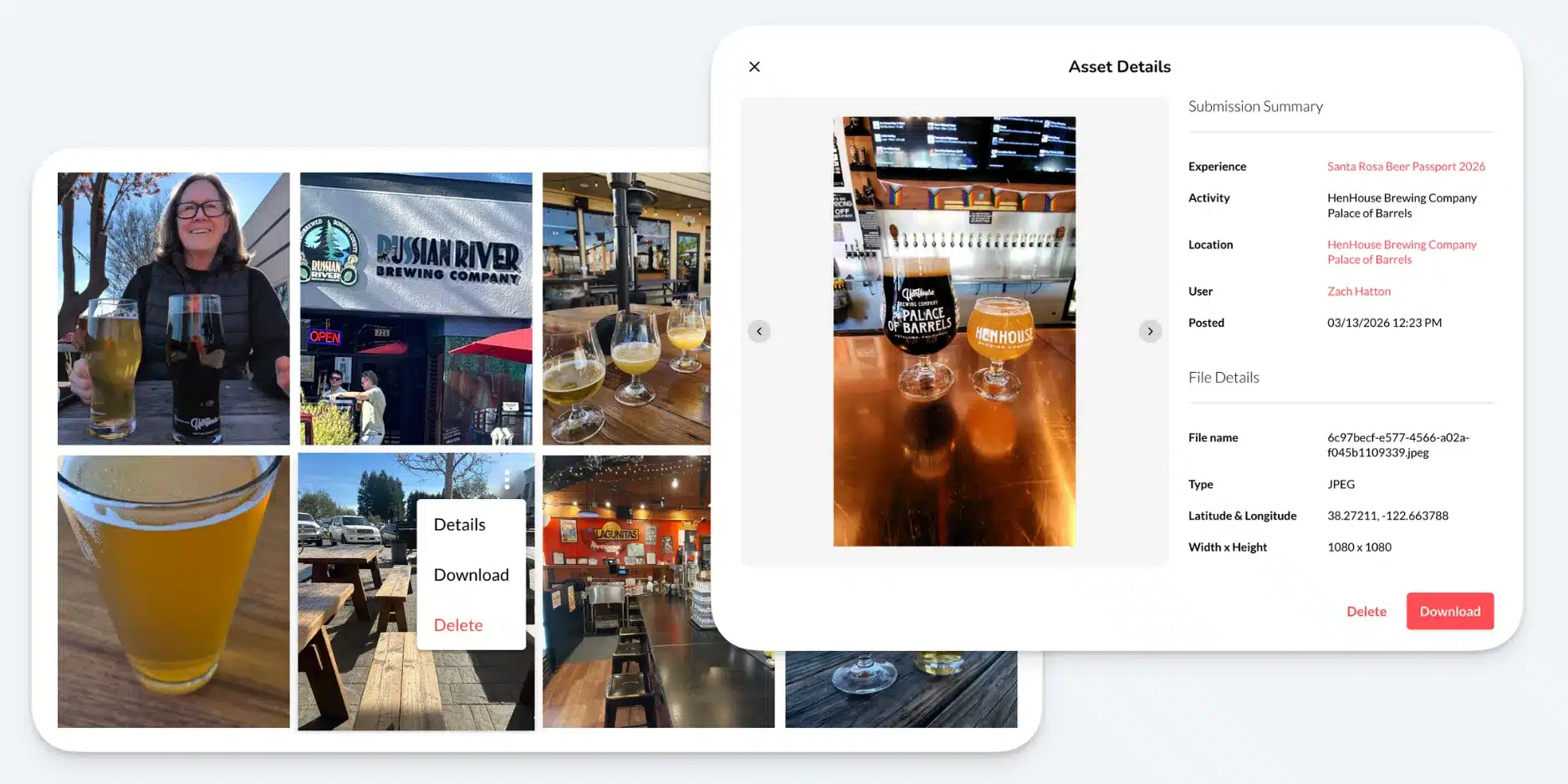
Photo check-ins can generate a lot of content, fast. We’ve made it easier to stay on top of it: search, delete, download, and view large previews with metadata — all from one place.
PRODUCT: XP | PLANS: ALL
Manually Award a Badge
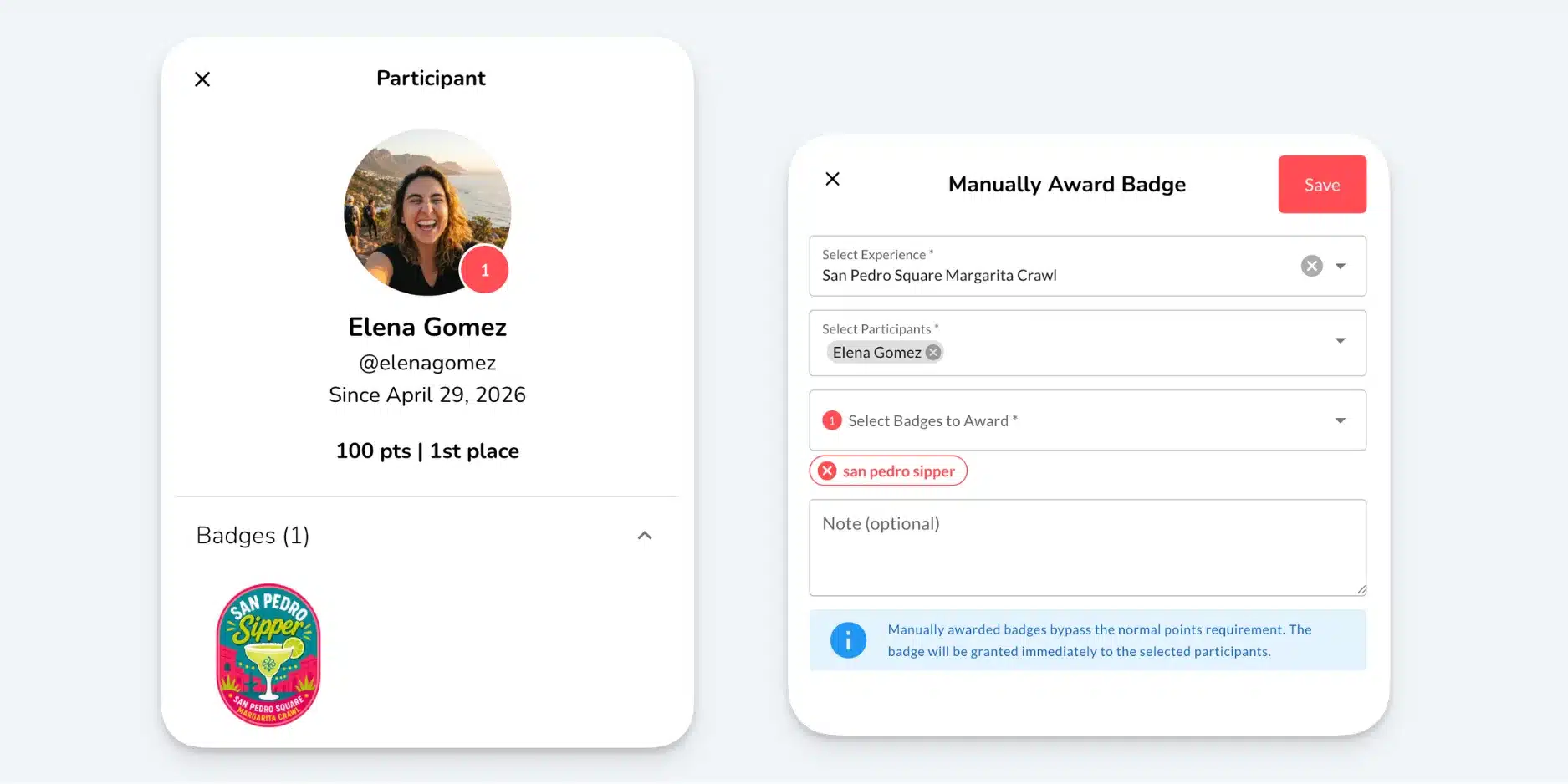
Sometimes you need to award a badge without sending the participant through the activity flow. You can now grant badges directly from your dashboard in just a couple of clicks.
PRODUCT: XP | PLANS: ALL
Embedded Camera
You can now disable camera roll uploads entirely and require users to capture a live photo, regardless of their device. When camera roll is turned off, our embedded camera takes over — closing a gap that some operating systems previously made hard to enforce.
Join the Webinar: What’s New at Seeker – Spring Product Update
Join us on Tuesday May 12 at 11:00 AM PT for a product webinar covering these new features—plus a preview of what’s ahead on the 2026 roadmap.
May 12, 2026 at 11 AM PT